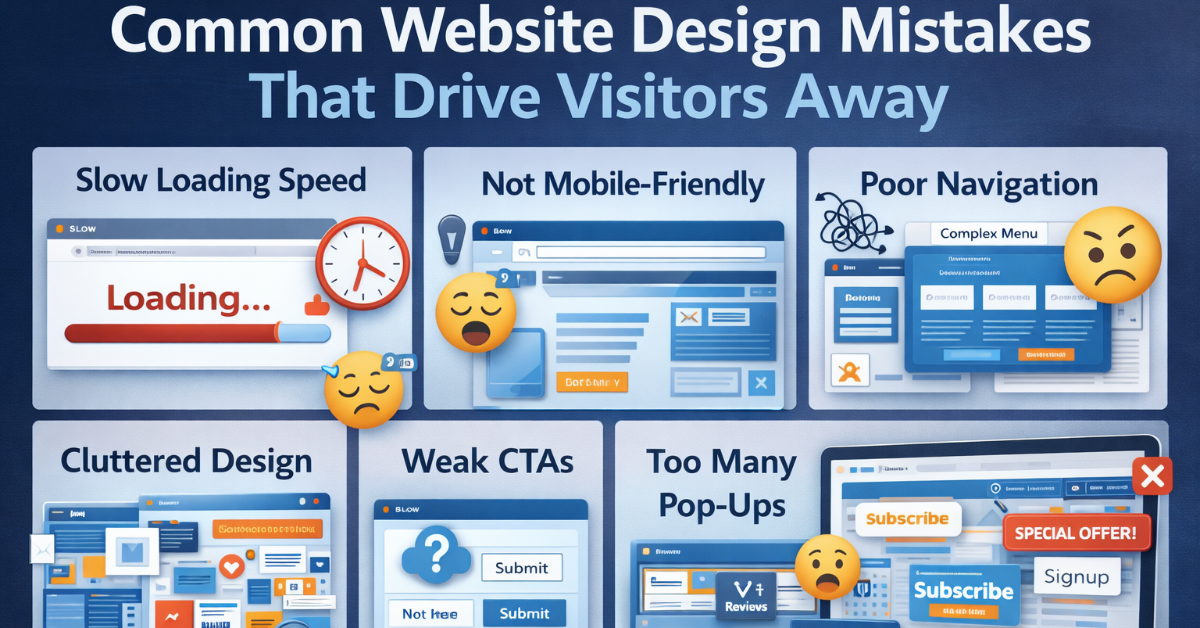
Your website is often the first impression customers have of your business. Even small design mistakes can frustrate users and cause them to leave within seconds. In today’s competitive digital world, users expect speed, clarity, and simplicity.
If your website fails to meet those expectations, visitors won’t hesitate to click away — and they may never return.
In this article, we’ll explore the most common website design mistakes that drive visitors away and how you can fix them.
Nothing pushes users away faster than a slow website.
If your website takes more than 3 seconds to load:
Speed directly impacts user experience and search rankings.
Most users browse websites on mobile devices. If your site isn’t responsive:
A mobile-friendly website is essential for growth.
Confusing menus frustrate users. If visitors can’t find what they’re looking for quickly, they leave.
Good navigation improves both user experience and SEO.
Too much content, too many colors, and excessive animations overwhelm users. Visitors need clarity — not chaos.
Minimalism improves readability and engagement.
If users don’t know what to do next, they won’t take action.
Strong CTAs guide users toward conversion.
Unreadable fonts can ruin user experience.
Readable text keeps users engaged longer.
A beautiful website without proper SEO structure won’t rank well.
SEO should be built into your website from the beginning.
Pop-ups can work — but too many can frustrate users.
An old-looking website makes your business appear outdated. Users notice when your site looks like it hasn’t been updated in years.
Modern design builds credibility.
Visitors need reassurance. Missing trust elements can make users skeptical.
Trust drives conversions.
A well-designed website:
Small design mistakes can cost you big opportunities. Investing in professional web design ensures your website works for your business — not against it.
Avoiding common website design mistakes can dramatically improve visitor engagement, search rankings, and conversion rates.
Your website should:
If your current website struggles in any of these areas, it may be time for a redesign.

We create smart and reliable digital solutions for businesses of all sizes. Our focus is on quality design, strong performance, and strategies that help your brand grow online. Transform your vision into a fully functioning and highly responsive website with our expert website development services. Our skilled developers utilize the latest technologies to build custom... Introducing the revolutionary travel package management module. Craft dynamic itineraries, tailor pricing, track availability, manage inclusions, automate promotions, analyze trends. Optimize,... Social media marketing: We develop and execute a targeted social media strategy to increase your brand's visibility and engagement on popular social media platforms like Facebook, Instagram, and...
Services

Website Development

Tours & Travels

Social Media Marketing
Site Studio is amazing to work with! They are professional, responsive, and delivered a high-quality website that exceeded my expectations. I would highly recommend them to anyone looking for a website development service.
What our clients say about Site Studio
Satisfied people feedback

